
Touchscreen Radio Installation in Temple Terrace
A larger screen is not enough if the new radio is incompatible with your car or the phone features you rely on. For touchscreen radio installation in Temple Terrace, choose professional car-audio installation that accounts for factory integration and smartphone compatibility.
It’s reasonable to expect a touchscreen upgrade to feel straightforward, but the right setup depends on more than the display. Your vehicle’s existing controls and audio features, along with whether you want Apple CarPlay or Android Auto, help determine which radio and installation approach make sense. This guide explains what to consider before choosing a setup, how factory features can affect integration, and what professional installation involves. You’ll also learn how to think about compatibility so the finished system suits the way you drive, rather than adding a screen that doesn’t meet your needs.
Key Takeaways
- Match the touchscreen radio to your vehicle’s existing setup and the features you want to retain.
- Consider factory integration as part of the installation, not as an afterthought.
- Choose a system with smartphone compatibility that fits how you use Apple CarPlay or Android Auto.
- Professional installation can help bring the radio, vehicle controls, and audio system together cleanly.
- Learn what to consider when looking for car stereo installation in the Temple Terrace area.
Car audio upgrades and touchscreen-ready source units
A touchscreen upgrade starts with matching the receiver to your vehicle, audio equipment, and desired features. For Temple Terrace drivers, the display is only one part of a complete car-audio system.
Touchscreen-Ready Source Unit Options
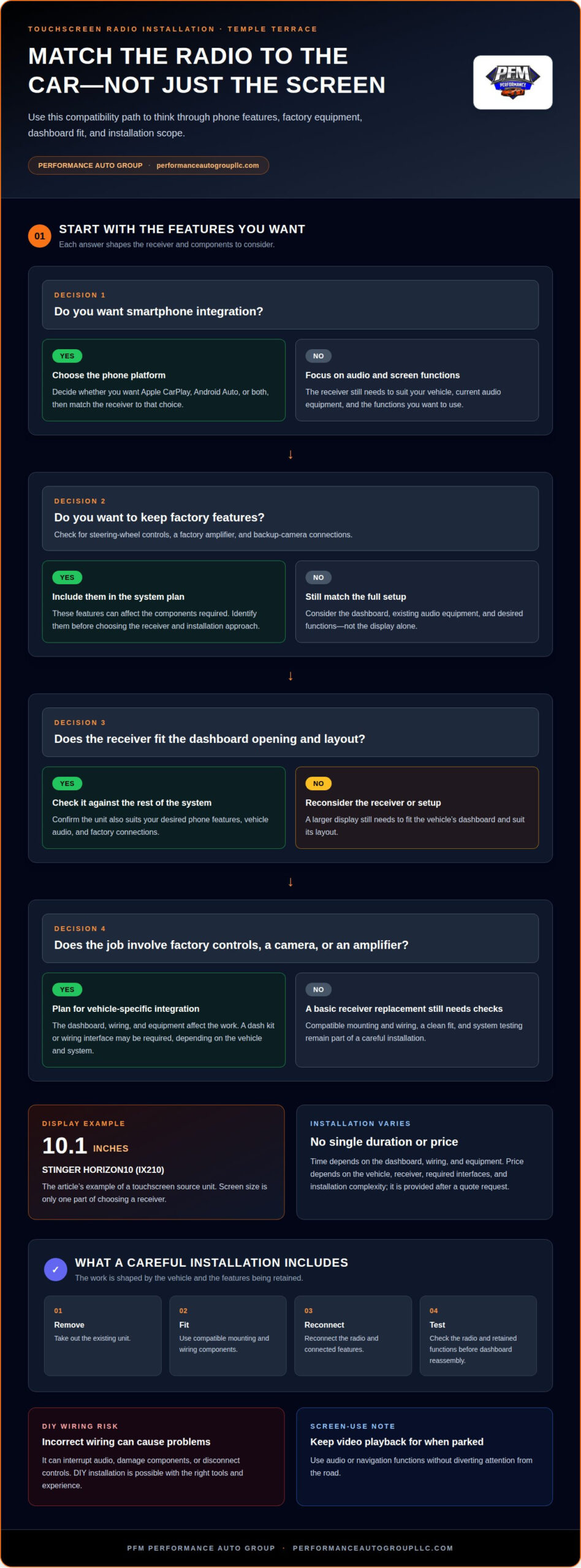
A source unit is the system’s control center: it manages audio, screen functions, and compatible phone connections. Compare screen size and controls, then consider whether you want Apple CarPlay, Android Auto, or both. The STINGER HORIZON10 (IX210), for example, has a 10.1-inch display. A larger screen still needs to fit the dashboard opening and suit the vehicle’s layout.
Consider which existing features you want to keep using after the upgrade. Steering-wheel controls, a factory amplifier, and backup-camera connections can affect the components required. Choose the touchscreen receiver as part of the full setup, not by screen size alone.
Custom System and Installation Choices
A custom car-audio system can pair a touchscreen receiver with your existing speakers or a speaker upgrade. The right combination depends on your listening preferences, current equipment, and how the factory components connect. Car-audio installation near Tampa should account for these details so the selected equipment works as a coordinated system.
Car-audio and video equipment can include a touchscreen receiver and compatible components. Start by identifying the functions you want, such as hands-free phone integration or a camera display, then match the equipment to your vehicle. Depending on the vehicle and system, installation may require a dash kit or wiring interface.
Installation Time and DIY Risks
Installation time depends on the vehicle’s dashboard, wiring, and equipment. Replacing a basic receiver differs from retaining factory controls, connecting a camera, or adding an amplifier. These requirements shape the work, so there is no single duration that applies to every car.
DIY installation is possible if you have the right tools and experience, but incorrect wiring can interrupt audio, damage components, or disconnect controls. A careful installation secures the connections, fits the receiver cleanly, and tests the system before reassembly.
Florida law and screen use: Don’t assume a touchscreen makes video viewing appropriate while driving. Keep video playback for when the vehicle is parked, and use audio or navigation functions without diverting your attention from the road.
Car audio product prices: The price depends on the vehicle, selected receiver, required dash or wiring interfaces, and installation complexity; it’s provided after a quote request. A unit with a larger display or additional integration needs can change the parts and work involved.
Reviewing car audio installation options can help you understand how a touchscreen upgrade fits into a broader system.
Where Can I Get Professional Car Stereo Installation in Temple Terrace?
For car-stereo installation near Temple Terrace, choose an installer who assesses your vehicle before fitting equipment. The installation should account for your dashboard, existing audio, and requested features.
Professional Installation Services
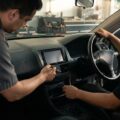
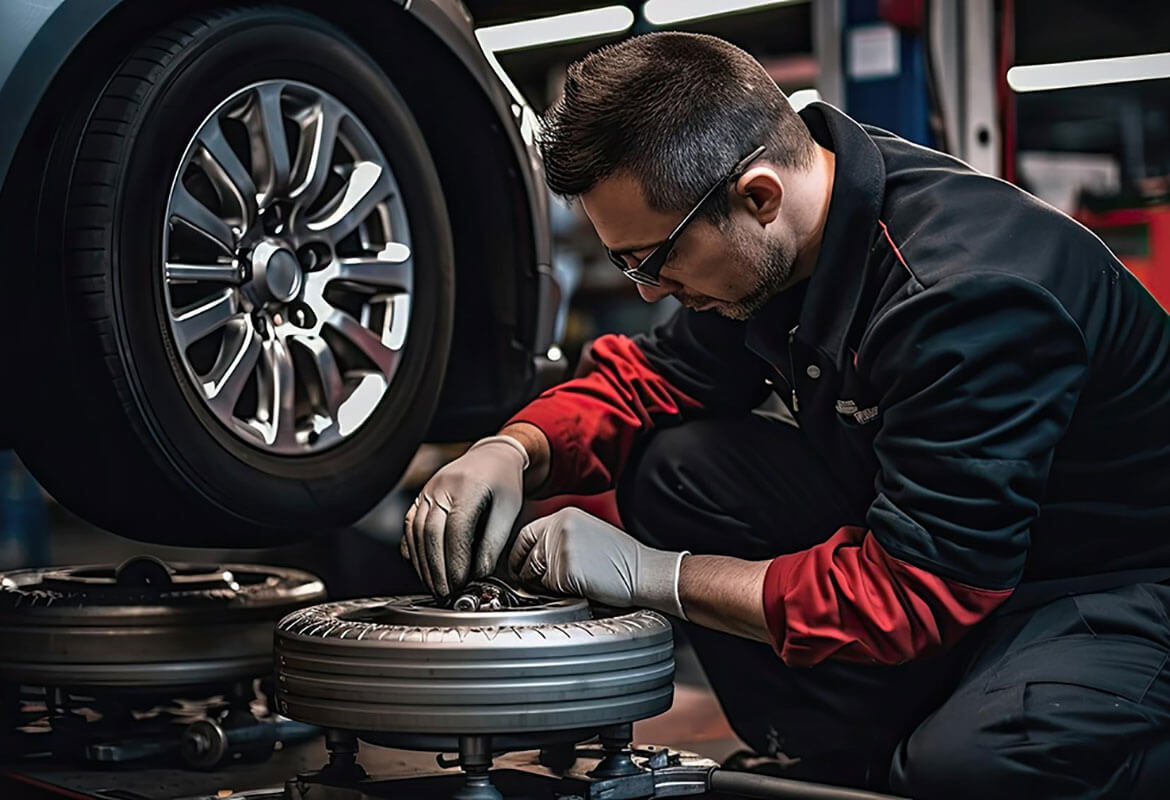
Professional stereo installation involves more than connecting a receiver. The installer removes the existing unit, fits compatible mounting and wiring components, and reconnects the system. Before reassembling the dashboard, the installer tests the radio and connected features. For example, steering-wheel audio controls need to be considered as part of the installation.
Ask what the installation includes, such as wiring, mounting, and functional testing. A clear scope distinguishes receiver installation from broader work involving speakers or a backup camera. The vehicle’s existing equipment and the features you want to retain determine the steps involved.
Installer Profile and Warranty Coverage
A useful business profile explains the installer’s car-audio focus, the equipment they handle, and how they plan the work. Look for a clear description of the installation process, rather than relying on a business name alone. For Temple Terrace drivers, choosing a shop convenient to the vehicle’s regular location can also simplify drop-off and collection.
Warranty terms vary by shop, and parts coverage may differ from installation coverage. Read the written terms to understand what is covered, how long coverage lasts, and how service issues are handled.
Before choosing an installer, note the details that affect the job: your vehicle’s make and model, the factory radio features you use, and the functions you want from the replacement. Retaining a backup-camera display or steering-wheel controls, for example, can change which interfaces are needed. Sharing these details helps the installer assess fitment and explain the planned work.
Use these practical criteria to assess an installation business serving Temple Terrace and Tampa:
- Scope: Does the estimate describe receiver fitting, wiring, and testing?
- Integration: Does the plan address factory controls and connected equipment?
- Communication: Are the work steps and warranty terms explained clearly?
- Completion: Does the installer test radio operation and retained features?
Professional installation is especially useful when a vehicle has factory electronics or the job involves more than a direct receiver replacement. A careful process protects dashboard trim, organizes connections, and confirms the system works after fitting. Even when a unit swap is straightforward, compatibility still matters.
To arrange the next step for a stereo installation, book an installation appointment and share your vehicle details and desired features.
Professional installation and factory radio integration
A touchscreen radio must work with your vehicle’s wiring, controls, and connected equipment. Integration starts by identifying which factory features the new system should retain.
Yes. A compatible touchscreen radio can support Apple CarPlay, Android Auto, a backup camera, and selected factory features. What can be retained depends on the receiver, vehicle, and interfaces used during installation.
Mapping Factory Features Before Installation
Before removing the factory radio, the installer identifies the vehicle’s existing connections and functions. These may include steering-wheel buttons, a factory amplifier, a backup camera, and the original microphone. Recording which features work beforehand provides a baseline for testing after installation.
Next, the installer matches the radio with the necessary mounting and wiring interfaces. A vehicle with a factory amplifier may need a different connection approach from one using the radio’s built-in amplification. The dash opening, trim, and cable routing also affect fit and the finished result.
Retaining Steering-Wheel Controls and Other Features
Steering-wheel controls can remain useful after a radio upgrade, but the new receiver may need a compatible interface. The installer connects and configures it, then tests functions such as volume and track selection. If a button behaves differently after installation, its mapping needs attention before the dashboard is closed.
Factory cameras and amplifiers also need careful integration. A backup camera, for example, must connect to an appropriate video input, while an amplifier needs a suitable audio signal. Testing these features during installation can reveal connection issues before the vehicle is returned.
Connecting Apple CarPlay and Android Auto
Apple CarPlay and Android Auto require a compatible receiver and connection method. Installation includes connecting the receiver, setting up the phone link, and testing the functions you plan to use. A useful handoff demonstrates how to connect and access navigation or audio without distracting adjustments.
Phone compatibility is only one part of the setup. The installer should also check microphone placement for calls, sound through the vehicle’s speakers, and whether the selected equipment supports a wired or wireless connection. These checks help the phone and vehicle work together as intended.
A final test should cover the receiver, factory features, and connected accessories. The installer can check steering-wheel buttons, camera display, speakers, and phone connection, then confirm the dashboard trim is secure. This systematic process helps catch a loose connection or missed setting before the vehicle leaves.
For touchscreen radio installation in Temple Terrace, provide the vehicle details and list the factory features you want retained when booking an installation appointment.
Customer experiences with stereo installation
Customer feedback is most useful when it describes the installation, not just the radio’s appearance. For a car-stereo upgrade, look for details about fit, sound, retained controls, and system performance after handoff. Specific examples offer more insight than general praise.
A review that says “the screen looks great” reveals little about the installation. A more helpful account might say whether the factory steering-wheel buttons still worked, calls sounded clear, or the backup-camera image appeared correctly. These details relate directly to functions you may use every day.
Read comments in context. A review of a speaker replacement may reveal little about touchscreen installation, while feedback on a receiver upgrade can address dashboard fit and system setup. Notice whether the writer identifies the vehicle or installed features. One detailed example can be more informative than several general compliments.
Customer experiences can also show why communication matters. A review may describe how the installer explained the work, handled a change, or demonstrated the new system. A useful handoff, for example, shows how to pair a phone, adjust audio, and return to the vehicle’s regular radio functions. These steps help the driver understand the finished setup.
Use a simple review-reading routine:
- Match the job: Find comments about touchscreen receivers, not unrelated vehicle work.
- Look for specifics: Note mentions of dashboard fit, sound, controls, or phone pairing.
- Consider the outcome: See whether the review describes function after installation.
- Read concerns fairly: Separate a clear account of an issue from vague dissatisfaction.
One review cannot predict the outcome of every vehicle installation. Dashboards, factory equipment, and requested features differ, so customers may have different experiences with similar radios. A detailed review can still help you identify questions relevant to your setup.
Before your appointment, note the features you use and the result you want. For example, include steering-wheel volume controls, Apple CarPlay, Android Auto, or a camera display. At handoff, test those functions in the vehicle rather than judging the installation by appearance alone. Clear communication before and after the work helps you assess whether the finished stereo meets your needs.
Apple CarPlay and Android Auto compatibility
Apple CarPlay and Android Auto connect compatible smartphones to a vehicle’s touchscreen receiver. The key question is not simply whether the screen supports them, but whether the full setup suits your phone, connection preferences, and daily driving routine.
Compatibility starts with the receiver. A unit may support Apple CarPlay, Android Auto, or both, with either a wired or wireless connection. Capabilities vary by model. If you prefer a cable connection, choose a receiver designed for wired use; if you want wireless access, make sure the system supports it.
Your phone matters too. Apple CarPlay is designed for compatible iPhones, while Android Auto is designed for compatible Android phones. During installation, the receiver, phone connection, and vehicle audio path should work together. A successful screen display is not enough if calls, navigation prompts, or music do not play through the car speakers.
A careful setup process covers the core functions in sequence:
- Confirm the receiver: Identify support for Apple CarPlay, Android Auto, or both.
- Check the connection: Establish whether the selected system uses a cable or wireless pairing.
- Pair the phone: Connect the intended iPhone or Android device to the receiver.
- Test key functions: Check navigation audio, calls, and music through the vehicle speakers.
Microphone placement can affect hands-free calls. A poorly positioned microphone may pick up more cabin noise or make it harder to hear the driver. Testing a call after installation helps assess voice pickup, while checking navigation prompts confirms that guidance is audible over music.
Consider the functions you use most. A driver who relies on Google Maps and Android Auto may prioritize a straightforward Android connection. Someone using Apple CarPlay for navigation and calls may focus on iPhone pairing and clear microphone performance. If several drivers share the vehicle, consider their phone platforms and connection preferences when choosing a system.
At handoff, the installer should demonstrate how the phone connects, where familiar functions appear, and how vehicle audio responds when a call or navigation prompt interrupts music. This walkthrough can reveal pairing issues or unfamiliar settings before you leave. It also helps distinguish receiver features from functions controlled by the phone.
Choose the receiver and connection method to suit the phone you will use. That makes compatibility a more practical priority than choosing a touchscreen by appearance alone.
PFM Performance Auto Group
PFM Performance Auto Group helps vehicle owners enhance their cars with window-tinting services. If a touchscreen upgrade is part of a broader vehicle refresh, tinting can be a separate consideration for the finished look and cabin privacy. Options include Auto Window Tinting, Privacy Window Tinting, Windshield Window Tinting, and Black Pearl Nano Ceramic Window Tint By Madico.
For a stereo project, focus on receiver compatibility, factory features, and phone integration. Consider window tinting separately if it also suits your vehicle plans.
Contact PFM Performance Auto Group to discuss your vehicle enhancement plans.
Make the next upgrade fit your drive
Choose a system around how you want your vehicle to look and function each day. Before arranging touchscreen radio installation in Temple Terrace, consider what you want from the finished cabin, from a clean dashboard to a phone interface that feels natural to use. A focused conversation about these priorities can turn a feature list into a clear installation plan.
PFM Performance Auto Group also offers Auto Window Tinting, Commercial Window Tinting, and Home Window Tinting for customers considering other property upgrades. For your vehicle’s audio plans, keep the next step simple: share the vehicle details and the features you value most.
A thoughtful upgrade starts with a clear idea of what matters to you. Move forward with a plan for a system that suits your needs.
Frequently Asked Questions
Where can I get a touchscreen car radio installed in Temple Terrace, Florida?
PFM Performance Auto Group provides car-audio and electronics installation for drivers in Hillsborough County, including touchscreen head units with CarPlay or Android Auto. For a Temple Terrace vehicle, the installation plan should account for its factory equipment and the phone functions you want. Share your vehicle’s make and model and the desired features when arranging service so the project can be planned around your setup.
Which car audio shops near Temple Terrace install touchscreen stereos?
PFM Performance Auto Group serves Hillsborough County with car-audio installation, including modern head units with smartphone integration. The right installation depends on your vehicle and the features you want to keep, such as factory audio controls or a connected camera. Choose an installer whose work addresses your vehicle’s equipment, not just whether a touchscreen can be fitted.
How much does touchscreen radio installation cost in Temple Terrace?
The price depends on the vehicle and the installation requirements, and is given after a quote request. Factors include the selected radio, mounting and wiring interfaces, and whether the setup must connect with factory features or additional equipment. A straightforward receiver replacement and a system requiring several integrations involve different parts and work, so a project-specific quote is more useful than a general estimate.
What is included in a touchscreen car stereo installation quote?
A useful quote should clarify which radio and installation work it covers. Look for details about the receiver, required dash or wiring interfaces, installation, and connections for features such as a backup camera. If you want to retain factory controls, for example, the quote should make clear whether their integration is included in the planned work.
What touchscreen radios are compatible with my vehicle?
Compatibility depends on your vehicle’s dashboard opening, wiring, factory audio equipment, and the features you want from the new radio. The receiver must fit and connect properly to the vehicle’s system. A car with a factory amplifier, for example, may need a different integration approach from one using the receiver’s built-in audio output. Your vehicle’s make, model, and year help identify suitable options.
Does installation require a dash kit, wiring harness, or steering wheel control adapter?
It can, depending on the vehicle and receiver. A dash kit may help the new unit fit the opening, while a wiring harness connects it to the vehicle’s wiring. Retaining steering-wheel buttons may require a compatible control interface. These parts are not universal, so the installer selects them to suit the vehicle and the functions being retained.
How do local customers rate touchscreen radio installers near Temple Terrace?
PFM Performance Auto Group’s home page references 219 customer reviews. Review details can help you judge whether customers describe work relevant to your needs, such as touchscreen installation, phone integration, or retained factory functions. Look for comments that explain the vehicle and the completed work rather than relying on a review count alone. A specific star rating isn’t provided here.